
App blocker for iOS & Android
An app blocker that actually holds when it matters
Most app blockers fail the same way: a limit pops up, you tap "Ignore," and the scroll continues. Bloky is an app blocker built around the two moments that decide your day — bedtime and deep work — with friction strong enough to hold and a tone kind enough to keep.
Why most app blockers don't change anything
You've probably tried the built-in options. iPhone Screen Time shows you a "Time Limit Reached" card with a big friendly "Ignore Limit" button. Android's Digital Wellbeing pauses an app until you tap it back on. Both assume that a person mid-scroll will make a good decision — the exact assumption the feed is engineered to defeat.
The opposite extreme fails too. Hard-lock blockers that can't be bypassed at all feel great on day one and get uninstalled on day four, the first time you genuinely need a blocked app and can't get in. An app blocker only works if you keep it installed.
The sweet spot is friction: enough resistance to stop autopilot, not so much that the tool becomes the enemy. That's the principle Bloky is built on — and why it pairs blocking with schedules, streaks, and a progress report instead of shame.
What makes Bloky different
One blocking engine, two modes — automatic nights and on-demand focus — wrapped in a system that keeps you coming back.
Scheduled blocking that runs itself
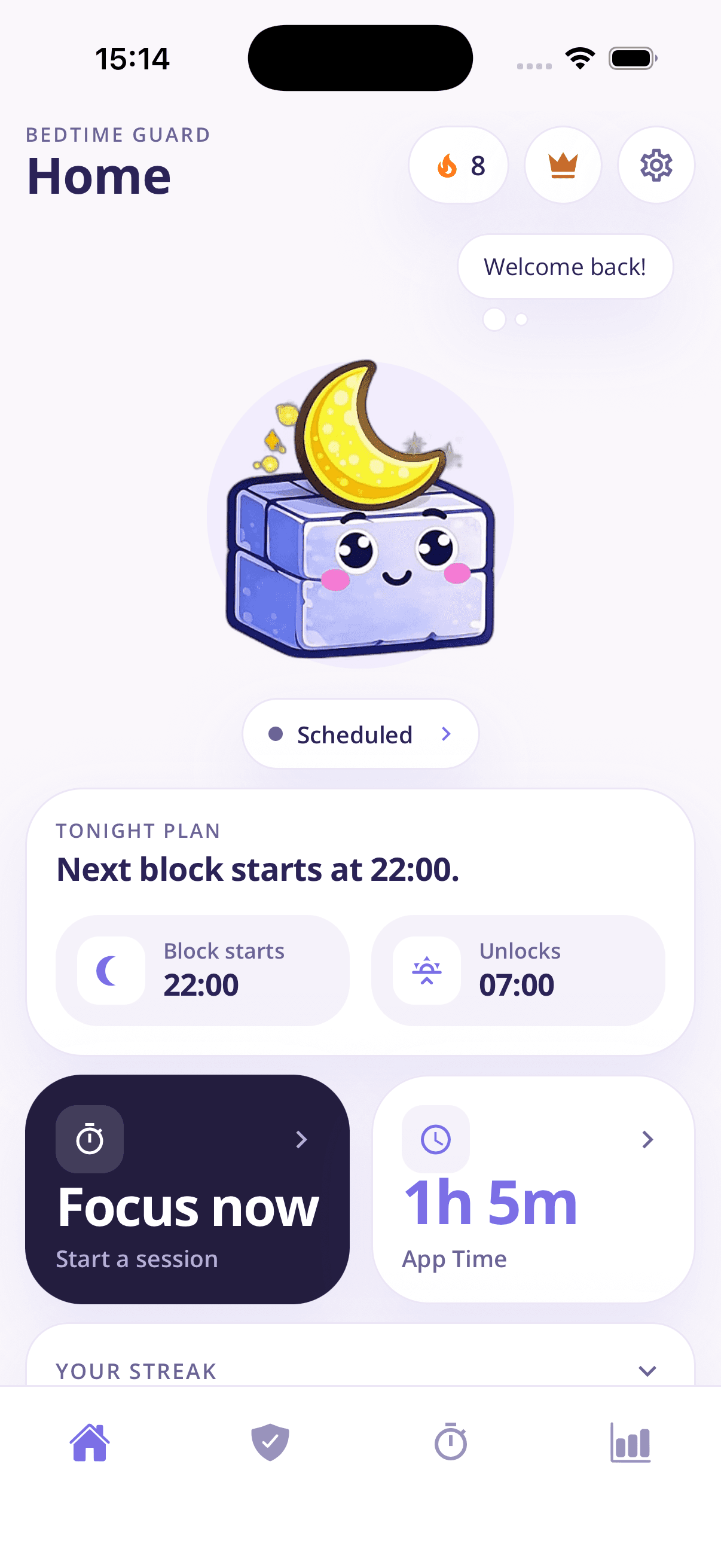
Set a bedtime schedule once and Bloky enforces it every night: block at your chosen hour, unlock in the morning. No nightly setup, no negotiating.
The 20-tap pass
Blocked apps aren't gone — they're paused. Need one anyway? Tap Bloky 20 times for a 5-minute pass. Impulse opens die; real needs survive.
Instant focus sessions
Start a focus block of 15 minutes to 4 hours whenever you need to work, study, or be present. Same engine, on demand.
Apps and whole categories
Block specific apps like TikTok and Instagram, or sweep entire categories in one tap. Separate lists for bedtime and focus.
Streaks and a weekly report
Protected nights build a streak; the weekly Bloky Report shows your app time versus last week. Progress you can see beats promises you can't.
No account, no data grab
Bloky works without an account and doesn't keep a database of your personal data. It's a tool, not a surveillance system.
How Bloky works
- 1
Choose what to block
Pick the apps and categories that eat your time — separately for nights and focus sessions.
- 2
Schedule or start
Set your nightly schedule once, and fire off focus sessions whenever you need them.
- 3
Keep the streak
Watch protected nights stack up and app time fall in your weekly report.
Frequently asked questions
What people ask when choosing an app blocker.
What is the best app blocker for iPhone?
- It depends on what keeps failing for you. If you ignore Screen Time limits, you need friction — Bloky's blocked apps show a pause screen and a pass takes 20 deliberate taps. If your problem is specifically nighttime scrolling, you want scheduled blocking that starts before you're tempted, which is Bloky's core feature. And if you've abandoned strict blockers before, you want one with streaks and progress reports that make you want to keep it installed.
Is there an app blocker you can't just ignore?
- Yes. Unlike built-in limits with a one-tap "Ignore" button, Bloky keeps blocked apps paused behind a full-screen block. The only way through is 20 taps for a 5-minute pass — deliberately tedious, so it filters out every mindless open while still leaving you an emergency exit.
Does Bloky work as an app blocker on Android too?
- Yes. Bloky is available on Google Play for Android and on the App Store for iOS, with the same core features on both: scheduled bedtime blocking, focus sessions, category blocking, streaks, and the weekly report.
Can an app blocker block websites too?
- Bloky focuses on apps, because that's where the compulsive opens happen — the muscle-memory tap on Instagram or TikTok. If you block an app, its pull-to-refresh loop is gone; most people find the browser version simply isn't compelling enough to replace it.
How much does an app blocker cost?
- Bloky is free to download, with premium features available as a monthly or yearly subscription and a 3-day free trial. That's three full nights of protected sleep to decide whether it's worth it — most people know by night two.
Will an app blocker really reduce my screen time?
- A blocker changes the environment instead of relying on motivation, which is what behaviour research says actually works. Bloky's weekly report makes the effect measurable: it compares your app time week over week, and dramatic first-month drops — like 45% less than the week before — are common when the evening window gets protected.
Learn more
Guides that go deeper on the habit behind the problem.
How to stop scrolling at night
Can't stop scrolling in bed? A practical 5-step plan: why willpower fails at night, how to set a digital sunset, and how to make the change stick within a week.
How to block TikTok
Every way to block TikTok: built-in screen time limits, TikTok's own tools, and scheduled app blockers — with honest notes on which ones actually hold.
How to block Instagram
Block Instagram at night, during work, or on a schedule — every method for iPhone and Android compared, and why scheduled blocking beats quitting cold turkey.
Related solutions
Block apps at night
Set a nightly schedule that blocks distracting apps at bedtime and unlocks them in the morning.
Focus app
Start a 15-minute to 4-hour focus session that locks distractions away instantly.
Phone addiction app
Rebuild your relationship with your phone using schedules, streaks, and reports.
Download Bloky
Get the app blocker you'll actually keep.
Download Bloky free, block your first apps in two minutes, and let the streak do the rest.
Free to download on the App Store and Google Play. Premium includes a 3-day free trial.